How to shop Hekana stores with an AI assistant — step by step
2 min read
Instead of browsing a store page by page, you can tell an AI assistant what you want: "find me a leather belt under 500 EGP delivered to Nasr City". The assistant searches the store's real products, tells you the delivery price and prepares your order — and you confirm it.
The screenshots in this guide are from a real store on Hekana (موادو), and the steps are the same in every store that has it switched on.
1. Open the store's "Shop with AI" page
Every store that has it switched on has a page at its address plus /ai — for example seron.hekana.com/ai. It explains everything and has the link to connect.
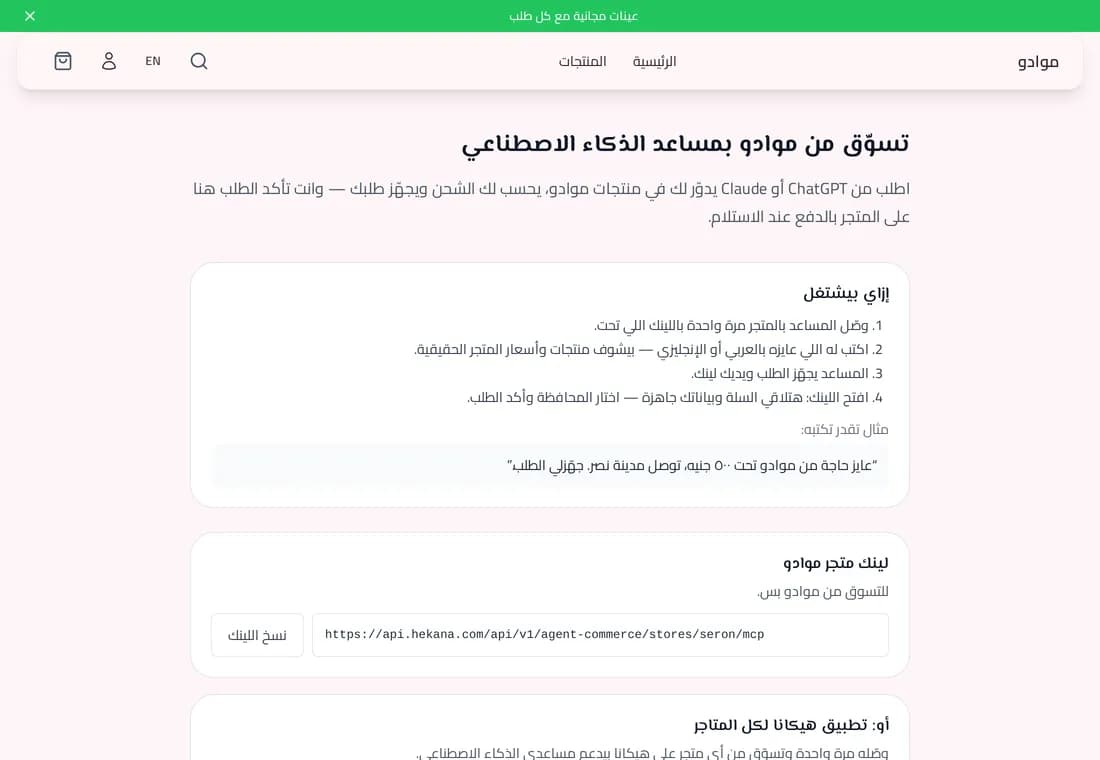 The store's Shop with AI page
2. Connect your assistant once
Copy the link with the "Copy link" button. The store link is for that store; the "Hekana app" link is for every store.
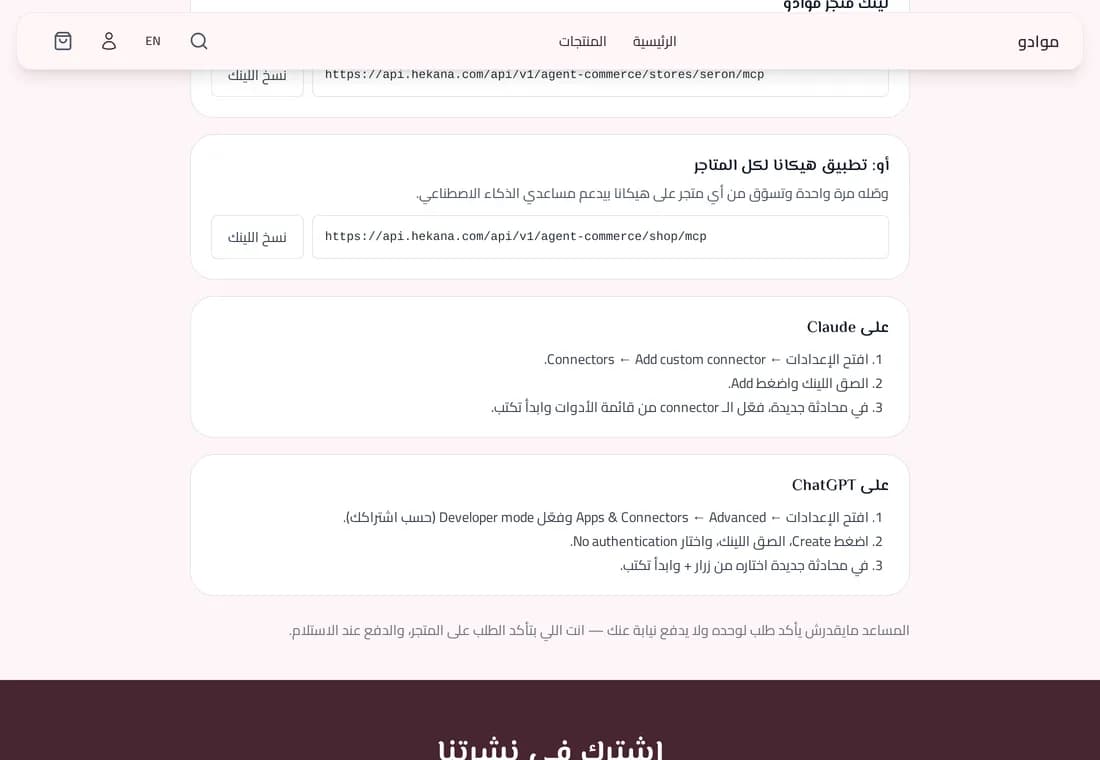 The store link and the Hekana app link with copy buttons
- Claude: Settings → Connectors → Add custom connector → paste the link → Add, then turn it on from the chat's tools menu.
- ChatGPT: the Hekana app for ChatGPT's app directory is under review. Until it is published: on chatgpt.com go to Settings → Security and login, turn on Developer mode (Plus and higher plans), then add the app with the link.
3. Ask for what you want
In English or Arabic. The assistant searches products with their real prices and tells you what delivery to your area costs. Say "order it" and it prepares the order and gives you a link.
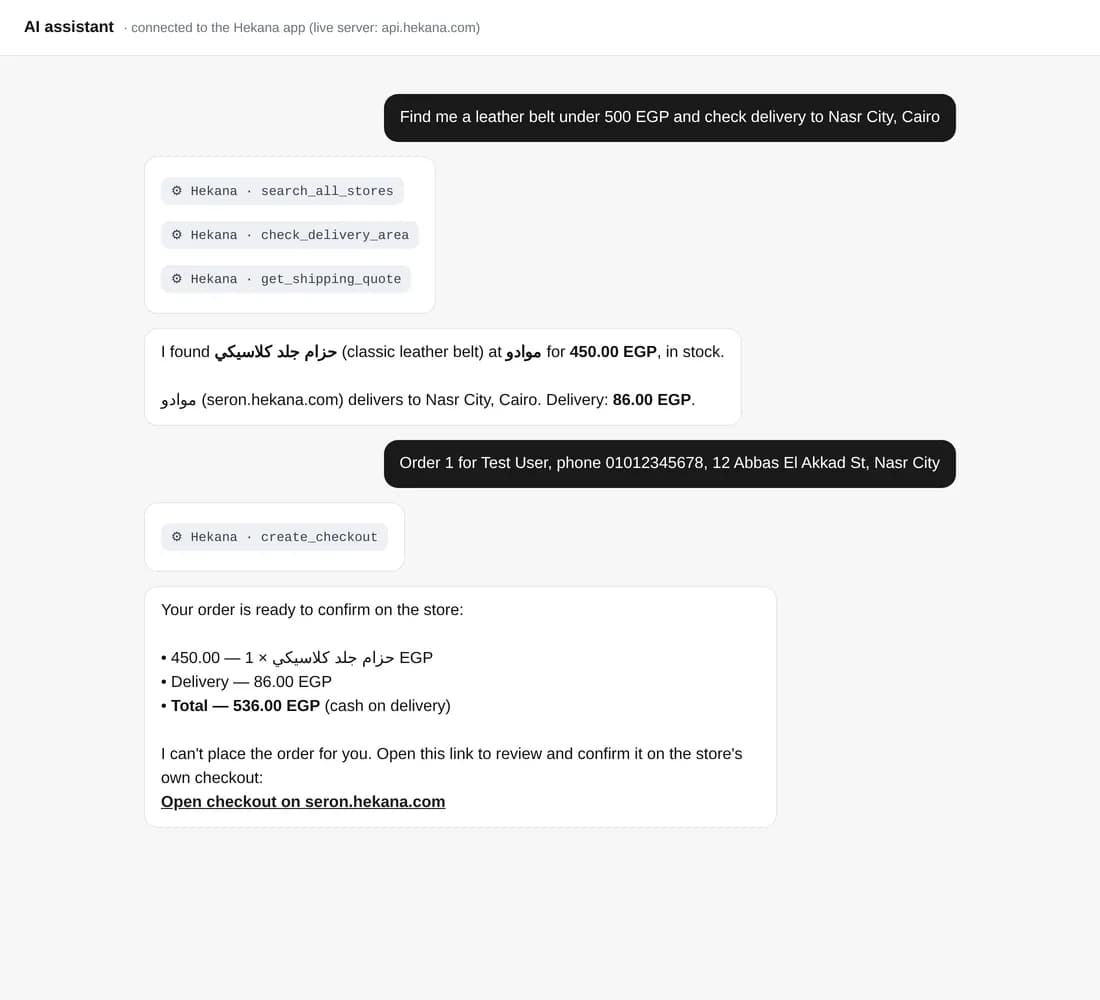 The assistant finds the product, prices delivery and prepares the order
4. Open the link
The link opens the store's own checkout, with the product in the cart and your name, phone and address filled in.
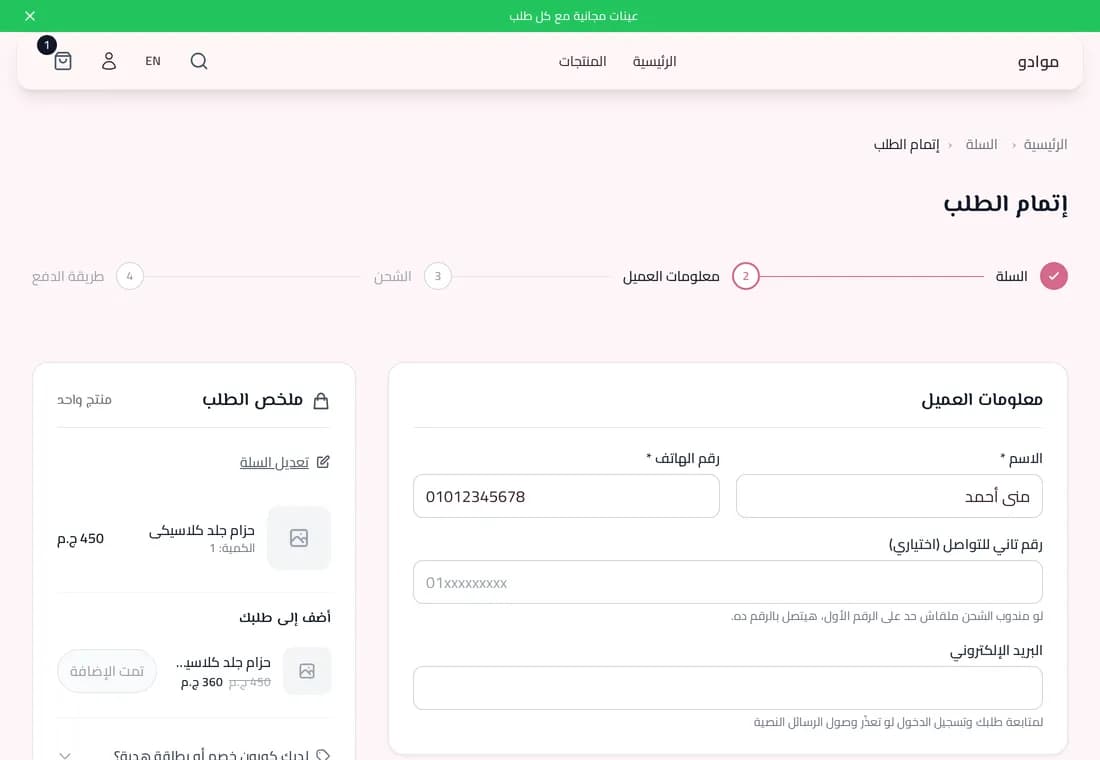 The store checkout with the cart and details filled in
5. Choose your governorate and payment method, then confirm
Pick your governorate so delivery is priced, check the total, and choose how to pay — cash on delivery or any method the store offers — then confirm the order.
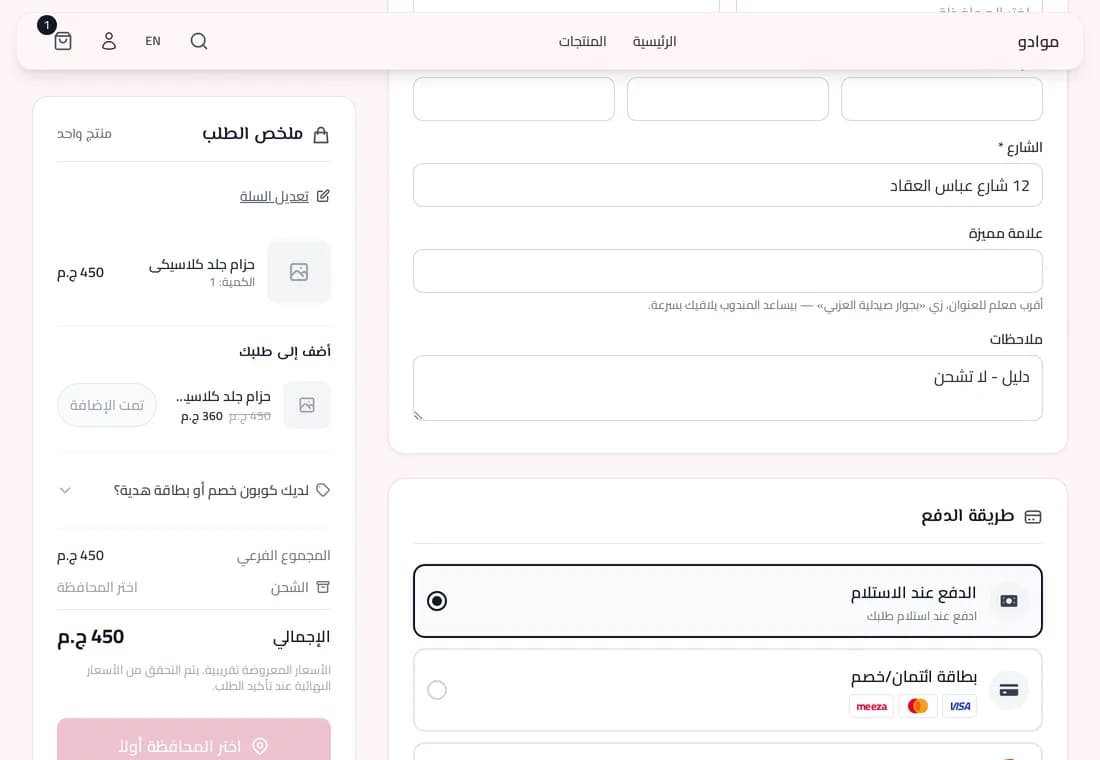 Choosing a payment method and confirming on the store
6. The assistant never confirms or pays for you
Ask it to place the order and it will tell you it can't. Only you confirm the order, on the store.
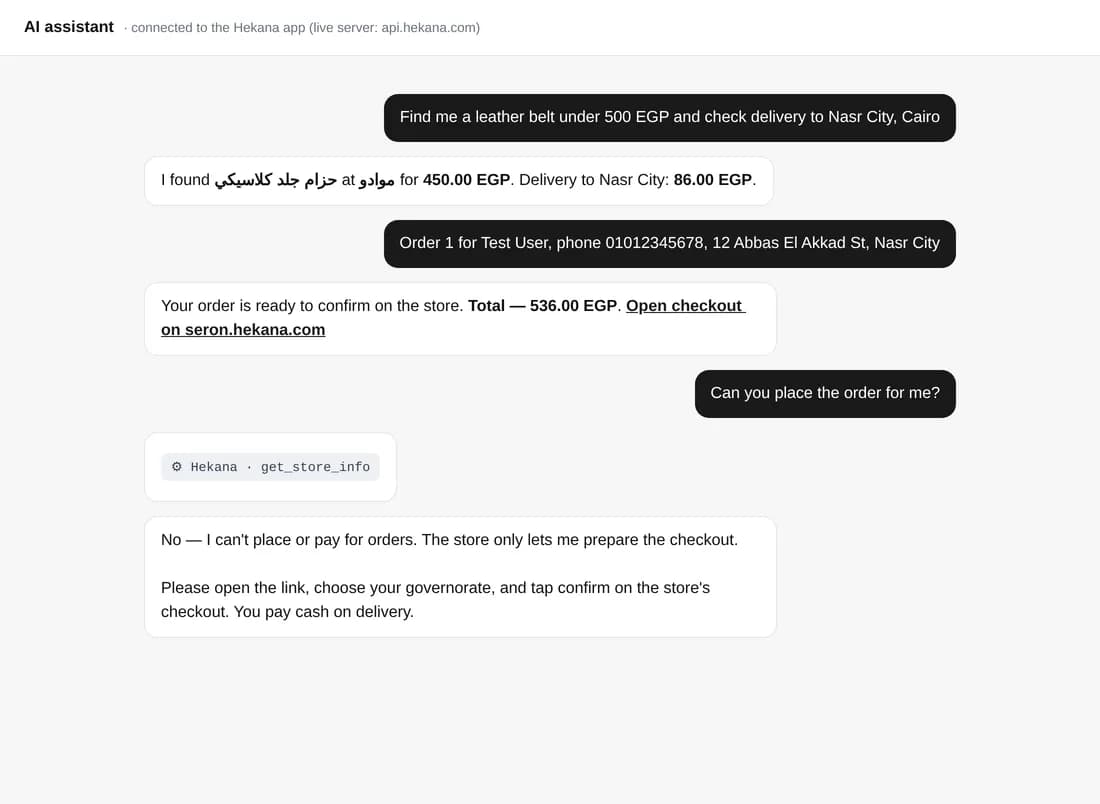 The assistant declines to place the order and points to the store
Questions
- Does it cost anything? No. You pay the store for the products and delivery.
- Can the assistant pay without me? No. It only prepares the order; you confirm and pay on the store.
- The link says it expired? It stays valid for 30 minutes of inactivity. Ask the assistant for a new one.
- Can I shop from any store? From stores that have switched it on.
- Can the assistant track my order? No. Track it with the store.
If you own a store and want your customers to buy this way, read how your store works with ChatGPT and Claude.