
Let a customer buy for someone else
A gift card solves an old problem: somebody wants to buy from your store for a friend and has no idea of the size or the colour. Instead of buying the wrong thing, they buy credit. The credit becomes a card with a code, the code is emailed to whoever the gift is for, and they use it at checkout like any coupon. You take the money now; the purchase happens later.
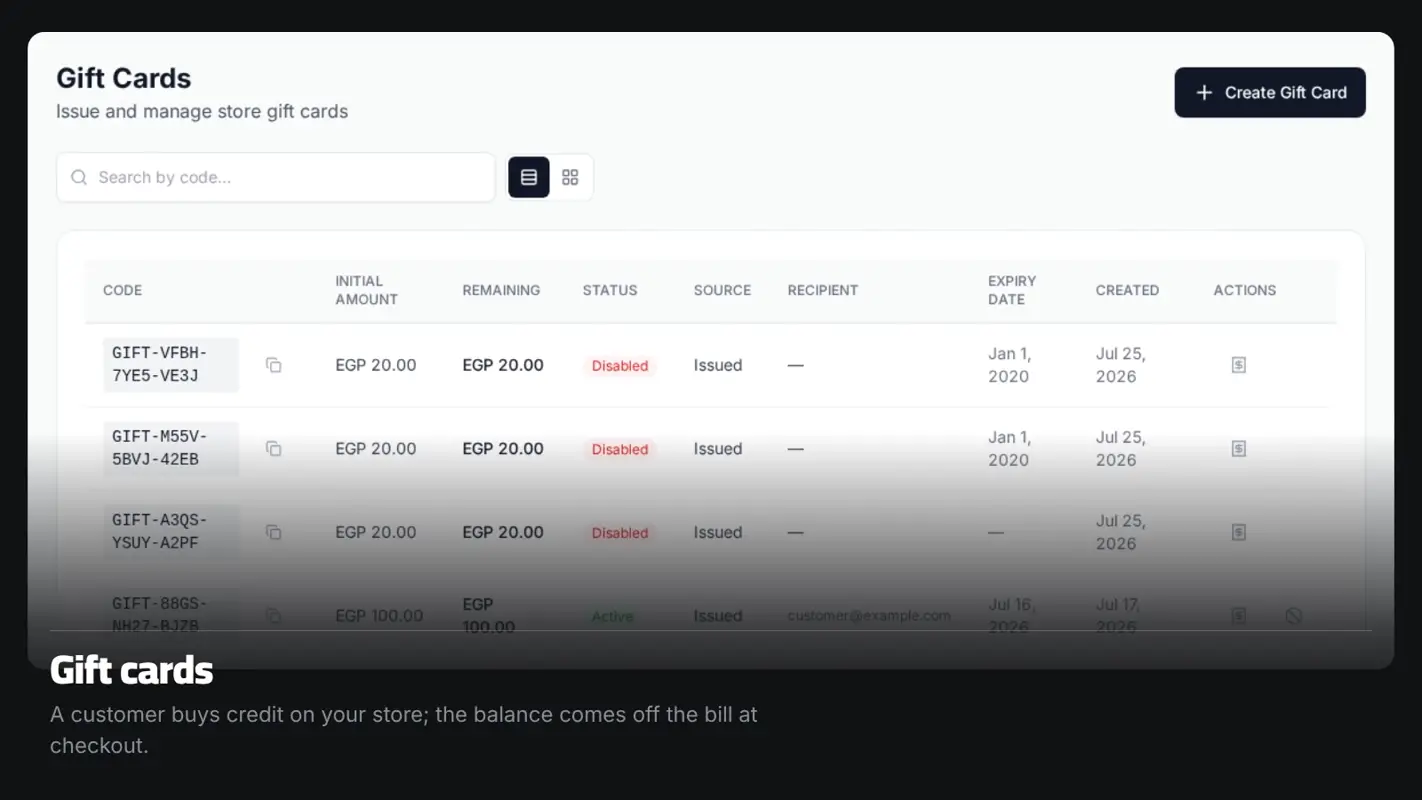
What it actually does
A purchase page on your store
Your store has a gift-card page where a customer picks a value and enters the recipient's email. They pay by card, and the moment payment is confirmed the card is created and emailed — you do nothing.
Cards you issue yourself
From the dashboard: create a card at any value, copy the code, send it to anyone. Useful as compensation for a late order, as a competition prize, or for a regular customer. You can disable any card at any time.
Spend it across several orders
A card stores a remaining balance separate from its original value. If a customer uses part of it, the rest stays on the same code until it runs out. And if an order is cancelled, the balance goes back onto the card.
A ledger per card
Every card has a statement showing when it was issued and every time it was drawn down or credited back, and against which order. You can also set an expiry date, or leave the card without one.
How it works
The page is already there
The gift-card page ships with your store. There is nothing to set up.
A customer buys
They choose the value and the recipient's email, and pay by card.
The code is sent
Once payment is confirmed, the card is created and the code is emailed.
It's used at checkout
The recipient enters the code on the payment page and the balance comes off the total.
Who this is for
- Stores selling things with sizes or colours, where choosing a gift is a gamble.
- Stores that trade on seasons — Ramadan, Eid, New Year.
- Any merchant who needs a clean way to make good with an unhappy customer without refunding cash.
- Stores that would rather take the money now and deliver later.
Common questions
Can I create a card without a customer paying?
Yes. From the dashboard you create a card at any value, copy the code and send it. Cards you issue yourself never touch the payment gateway.
Do cards expire?
That's your call. You can set an expiry date when you issue the card, or leave it without one and it keeps working.
What if a customer only uses part of the balance?
The rest stays on the same code and can be used on another order.
What if an order paid with a card is cancelled?
The balance goes back onto the card automatically. It isn't lost.
More features
Ready to start your store?
Start your store now — free, no credit card
- No credit card
- Set up in minutes
- Arabic support team