
The catalogue is the store — it deserves a proper screen
Most of the time a merchant spends in the dashboard goes on products. So this screen is built on the assumption that a catalogue might be one product or a thousand: you add a product with its sizes and colours without creating it ten times, and you upload a whole catalogue from a file instead of typing it in.
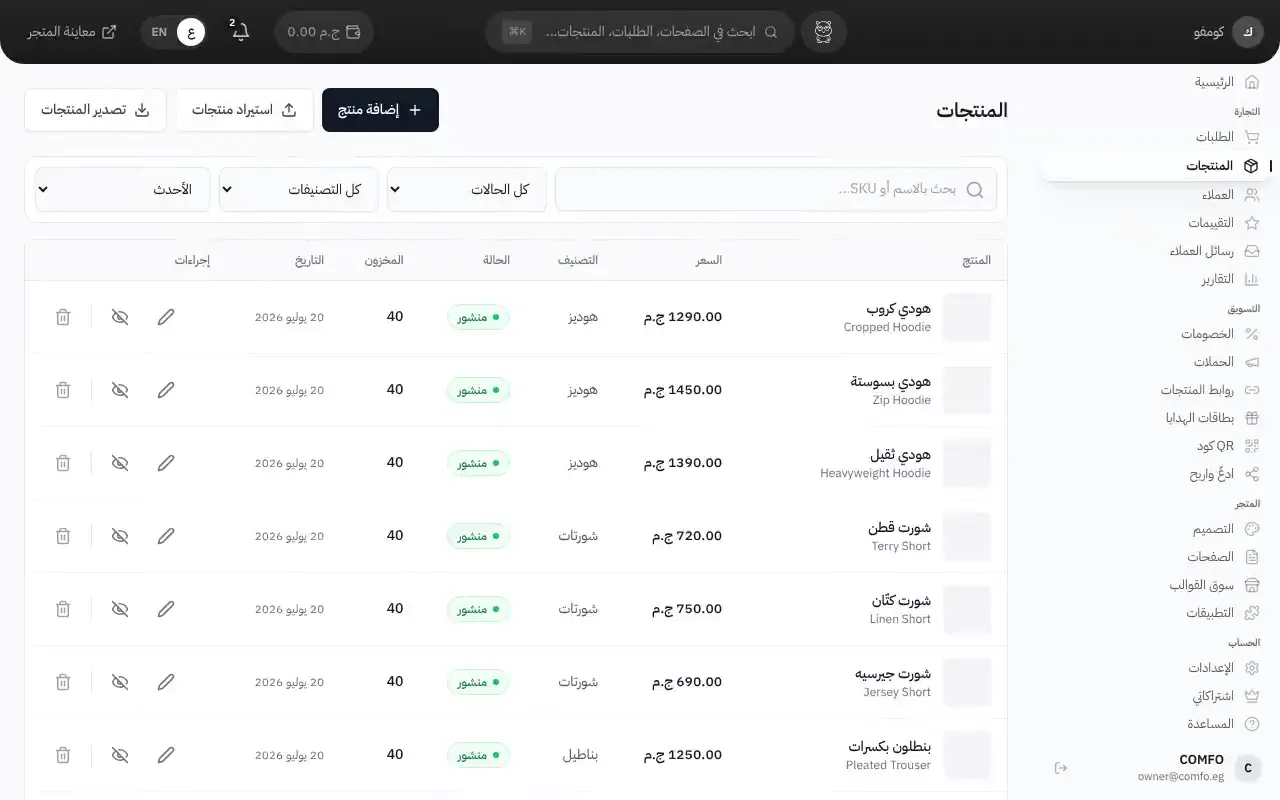
What it actually does
Sizes and colours without the repetition
You write the options once — the sizes, the colours — and every combination is generated for you. Then you give each one its price, SKU and stock. A t-shirt in four sizes and three colours is twelve variants, and you never typed anything twelve times.
Digital products
If what you sell is a file — a book, a design, a course — you attach it to the product and the customer gets a download link after paying. The link is tied to their order, so it isn't something anyone can open.
Bulk upload from a file
Download the template, fill it with your products, upload it. The import runs in the background and you watch its progress, so a large catalogue doesn't freeze the screen. Columns cover the Arabic and English name, price, compare-at price, cost price, SKU and weight.
Categories and publish states
Organise products into the categories they appear under on the store. Each product has a state — draft, published or archived — so you can prepare a whole collection and publish it all on launch day.
How it works
Add the product
Name, description, images and price — in Arabic and English.
If it has options
Enter the sizes and colours, let the variants generate, then set a price and stock for each.
Or upload a file
For a large catalogue, download the template, fill it in and upload once.
Publish
Put the products in their categories and publish them to the store.
Who this is for
- Clothing and footwear stores where every product has sizes and colours.
- Anyone moving an existing catalogue over from another platform or a spreadsheet.
- Anyone selling digital files who needs delivery to happen on its own.
- Stores trading in Arabic and English at the same time.
Common questions
How many products can I upload at once?
The import runs in the background with visible progress, so large catalogues go through without the screen waiting on them.
Do I have to write everything in both languages?
Arabic is the base. English is optional, and appears for visitors browsing your store in English.
How is a digital product delivered?
After paying, the customer finds a download link tied to their order in their account.
Does the customer see the cost price?
No. Cost price is stored for you alone. The customer sees the price and the compare-at price if you set one.
Ready to start your store?
Start your store now — free, no credit card
- No credit card
- Set up in minutes
- Arabic support team