
One code takes the customer straight into your store
The customer points a phone camera at the code and your store opens: the menu, a particular category, a product, or an offer. Nothing to install and no URL to mistype. And because every scan is logged, you know what the stand, the flyer and each table actually brought in.
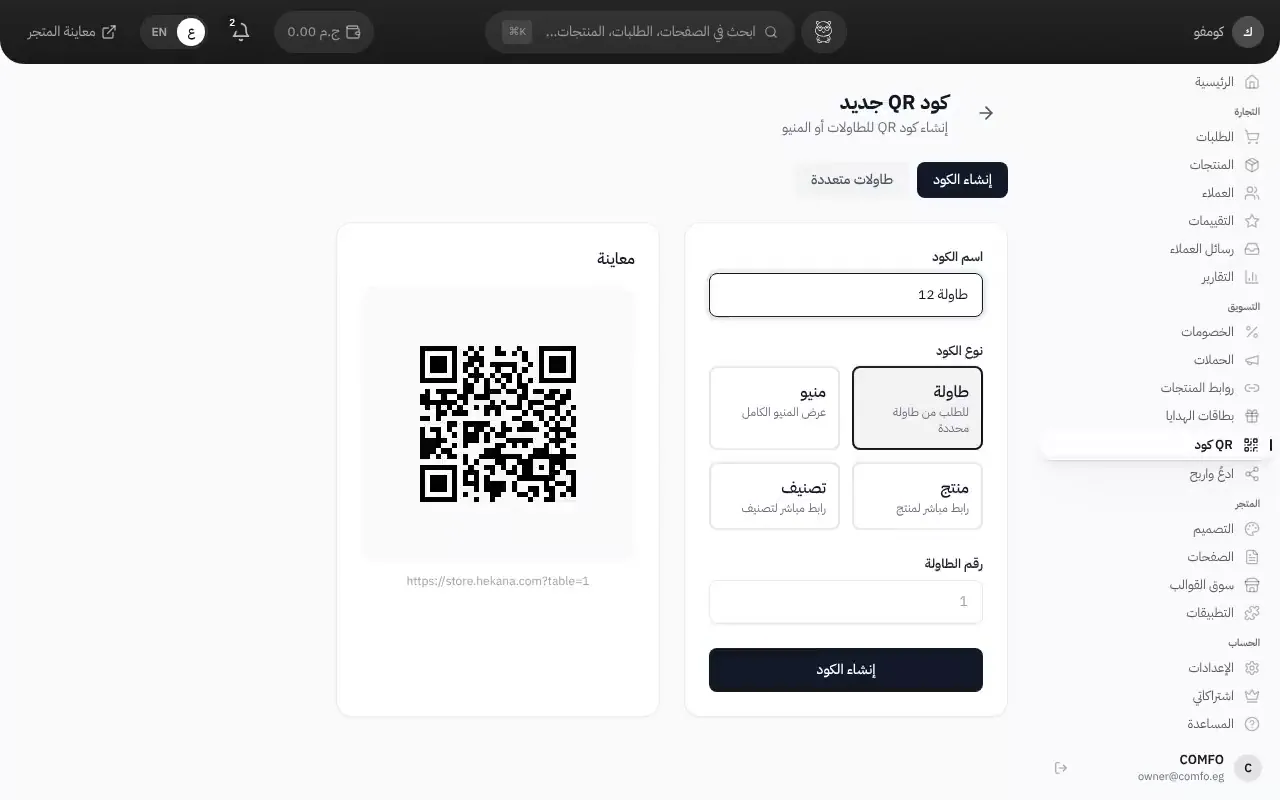
What it actually does
Seven kinds of code
Table, menu, location, product, category, whole storefront, or promo. Each type opens the right place in your store directly, with no hunting.
Table codes in one go
Enter how many tables you have and a code is generated for each one, named for it ("Table 1" … "Table 12") with a section name if you have more than one room. Download and print them in a single pass.
A discount that applies on scan
You can attach a discount code to a QR code, so a customer who scans it finds the discount already applied in their cart. Useful for a coupon on a flyer or a card dropped into the box.
Track it, and switch it off
Every scan is logged, so you can compare tables against each other or find out what a flyer returned. And you can deactivate any code or give it an expiry date — the printed code stops working without you having to go collect the paper.
How it works
Create the code
In the dashboard → QR codes: pick the type and set the destination.
Download and print it
PNG for ordinary printing, or SVG if you're blowing it up onto a stand or a poster without pixelating.
Put it where it belongs
On the table, in the window, on a flyer, or on a card inside the order box.
Watch the numbers
The stats page shows how many times each code was scanned and when.
Who this is for
- Restaurants and cafés who want the guest to open the menu on their own phone instead of a paper one.
- Shops with a window or a showroom who want walk-ins to see the full catalogue.
- Anyone handing out flyers or exhibiting at a fair who wants to know what the paper returned.
- Stores that put a card in the box with a discount code for the next order.
Common questions
Is this table-side ordering?
No, not yet — and it's worth saying plainly. The code opens your store on the guest's phone, and the order goes through the same steps as any online order. There is currently no link between an order and a table, no kitchen display, and no open tab per table.
How does the digital menu work?
The menu is your product catalogue: dishes are products and sections are categories. A "menu" code opens the store from the top, and a "category" code opens one section, such as drinks.
If I change something in my store, does the printed code break?
The printed code points at a short link on Hekana, and Hekana is what forwards it to the destination. So the printed paper is unaffected by changes to your store's own URLs.
Is there a limit on how many codes?
Make as many as you need. Bulk table generation exists precisely so you don't create them one at a time.
More features
Ready to start your store?
Start your store now — free, no credit card
- No credit card
- Set up in minutes
- Arabic support team