
The confirmation email is your store's first formal word
The first thing your customer sees after paying isn't the product — it's the confirmation email. And if that email arrives in flat, generic wording, the impression it leaves is that the store isn't really yours. Here every automatic message can be rewritten: subject and body, in Arabic and English, and you see how it looks before you save.
What it actually does
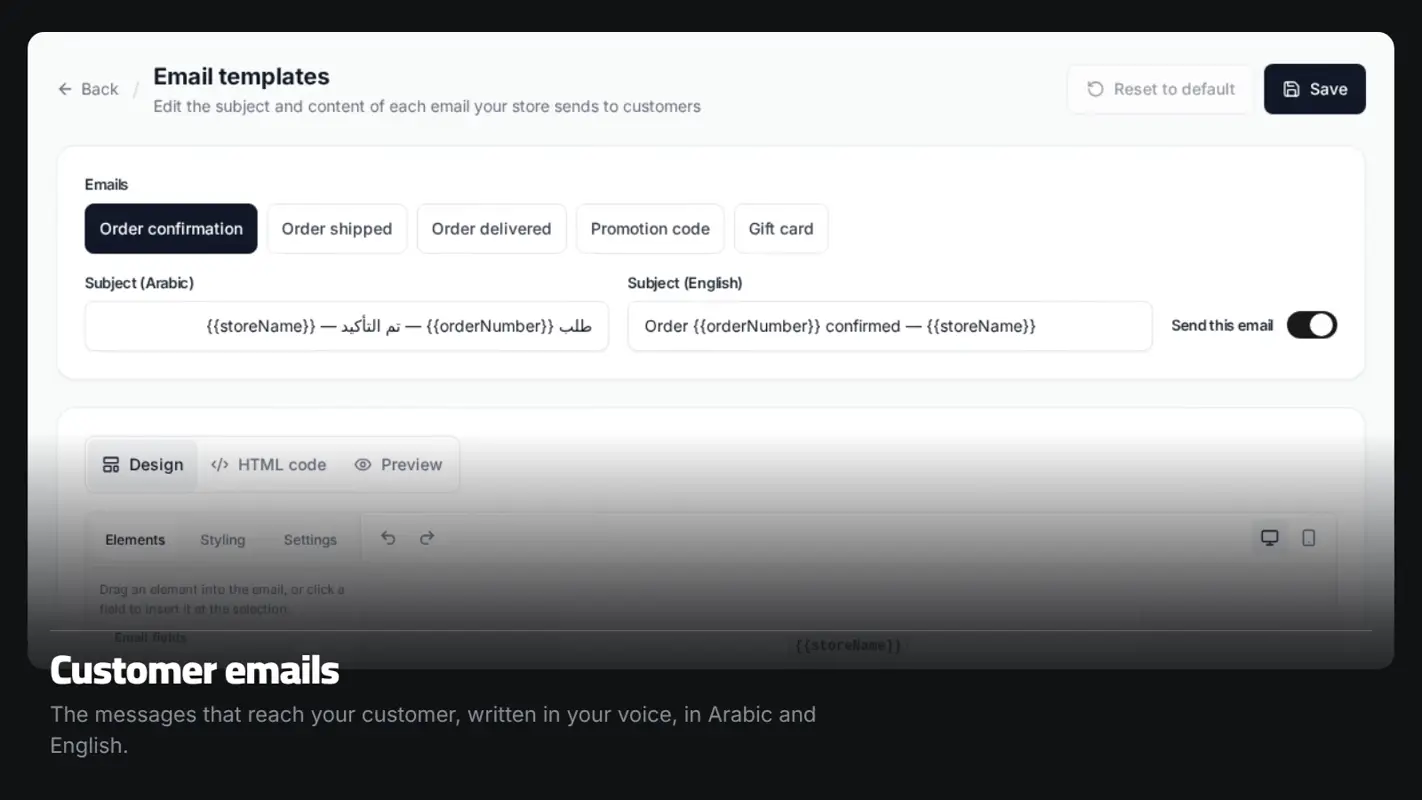
The messages you can edit
Order confirmation, order shipped, order delivered, discount code, and gift card. These are the messages that reach your customer automatically, and each one's subject and body is yours to rewrite.
Two independent languages
You write the Arabic version and the English version of each message separately, and the customer gets theirs according to their language. Nothing is machine-translated into something that reads oddly.
Order data inside your text
You can place things like the order number, the total, the shipping address and the carrier into your own wording, and the values are filled in at send time. The list is fixed and filtered, so nothing can break the message or leak data.
Preview, test, and revert
See the message before you save, send a test copy to yourself, and put any message back to its original wording in one click if the edit didn't work out.
How it works
Open the messages
Dashboard → Settings → Emails.
Pick a message
Order confirmation, say, and edit its subject and body.
Preview
See the final look, and send a test copy to yourself.
Save
The new wording applies to every order from then on.
Who this is for
- Stores working on their identity that want the messages in the same voice.
- Stores with customers who speak Arabic and English.
- Anyone who needs specific instructions in the shipping or delivery message.
- Any merchant selling gift cards who wants the card email to feel like a gift.
Common questions
Are these marketing campaigns?
No. These are the automatic messages tied to an order. Marketing campaigns are a separate page.
What if I edit a message and get it wrong?
There's a button to put the message back to its original wording at any time.
Do the emails come from my store's address?
They go out under your store's name, and you can set the name and the look from the email settings.
Can I switch a particular message off?
Yes, each message has its own on/off toggle.
More features
Ready to start your store?
Start your store now — free, no credit card
- No credit card
- Set up in minutes
- Arabic support team